
When your network grows from 1,000 to 10,000 connections, manual provisioning stops working. Here's how we solved it for G.Network.
G.Network is an ambitious company with a monumental mission to upgrade infrastructure and provide Londoners with full-fiber broadband. The company attracted significant investment and, in the coming years, plans to dig thousands of kilometers of streets across the UK to replace copper cables with fiber to improve broadband in London.
Recognizing the Limits of Manual Provisioning
When exactly does manual provisioning stop working? It usually breaks down when your network operations reach specific growth thresholds.
- Threshold 1: 1,000+ Active Devices. Once your network exceeds 1,000 active endpoints, tracking configurations and IP assignments in spreadsheets becomes impossible.
- Threshold 2: 5+ Provisioning Engineers. If you have more than five engineers dedicated solely to turning up new services or resolving manual configuration errors, your operational inefficiencies are actively draining your budget.
At this scale, human error leads to outages and missed KPI targets. Automation reduces these errors, lowers operational costs, and frees your team to focus on high-value network optimization.
Key Challenges in ISP Automation (and How to Solve Them)
Here are three common challenges network leaders face, along with proven solutions:
- Eliminating configuration inconsistencies across network regions. When multiple engineers manually configure devices, deviations naturally occur. The solution: automate the deployment process with a central database. This way, you can ensure that every generated configuration meets your exact engineering standards, preventing localized outages.
- Integrating modern provisioning tools with legacy infrastructure. Legacy systems often lack native REST APIs. Creating a middleware translation layer allows your modern billing and operations support systems (OSS) to communicate seamlessly with older hardware, ensuring cross-department collaboration without forcing a costly hardware refresh. Thus, the solution is to utilize a middleware layer built on an asynchronous, event-driven architecture.
- Preventing service activation delays as customer demand scales: Instead of pre-configuring devices in a staging lab, deploy Zero-Touch Provisioning (ZTP). ZTP allows factory-default equipment to automatically download its configuration upon connecting to the network. This boosts operational efficiency and significantly increases production output for your field technicians.
G.Network Challenges
G.Network’s grand plans met certain challenges, and Impressit was there to help. So what exactly were the issues we had to deal with?
- High error rates: Manual provisioning of network devices was leading to unsustainable levels of human error, threatening scalability.
- Resource allocation: Manual IP address management led to resource loss and financial inefficiencies.
- Process automation: G.Network needed to streamline processes to offer contactless setup, connection, and disconnection for their customers.
All of these problems are sure to be solved by automation. And that was the Impressit team's task. Our team consisted of 5-7 people. In the beginning, we had several calls with G.Network's network engineers who briefly introduced the system to us and explained their problems and expectations. After that, we planned our work, divided it into tasks, and began our journey into telecom software development.
(While in this article we talk about the first steps in our cooperation, the Impressit team is now developing an automation solution for ISP called Customer Lifecycle Management that saves G.Network time and money.)
Improving IP Management
The first major challenge for us was improving IP address management. It was, maybe, the most critical task as setting up proper IP management allowed us to solve all the following issues.
Any Internet provider buys thousands of IP addresses for their clients to use. Each IPv4 address costs around $20–30, so it is obvious that an appropriate management IP address saves any provider much money.
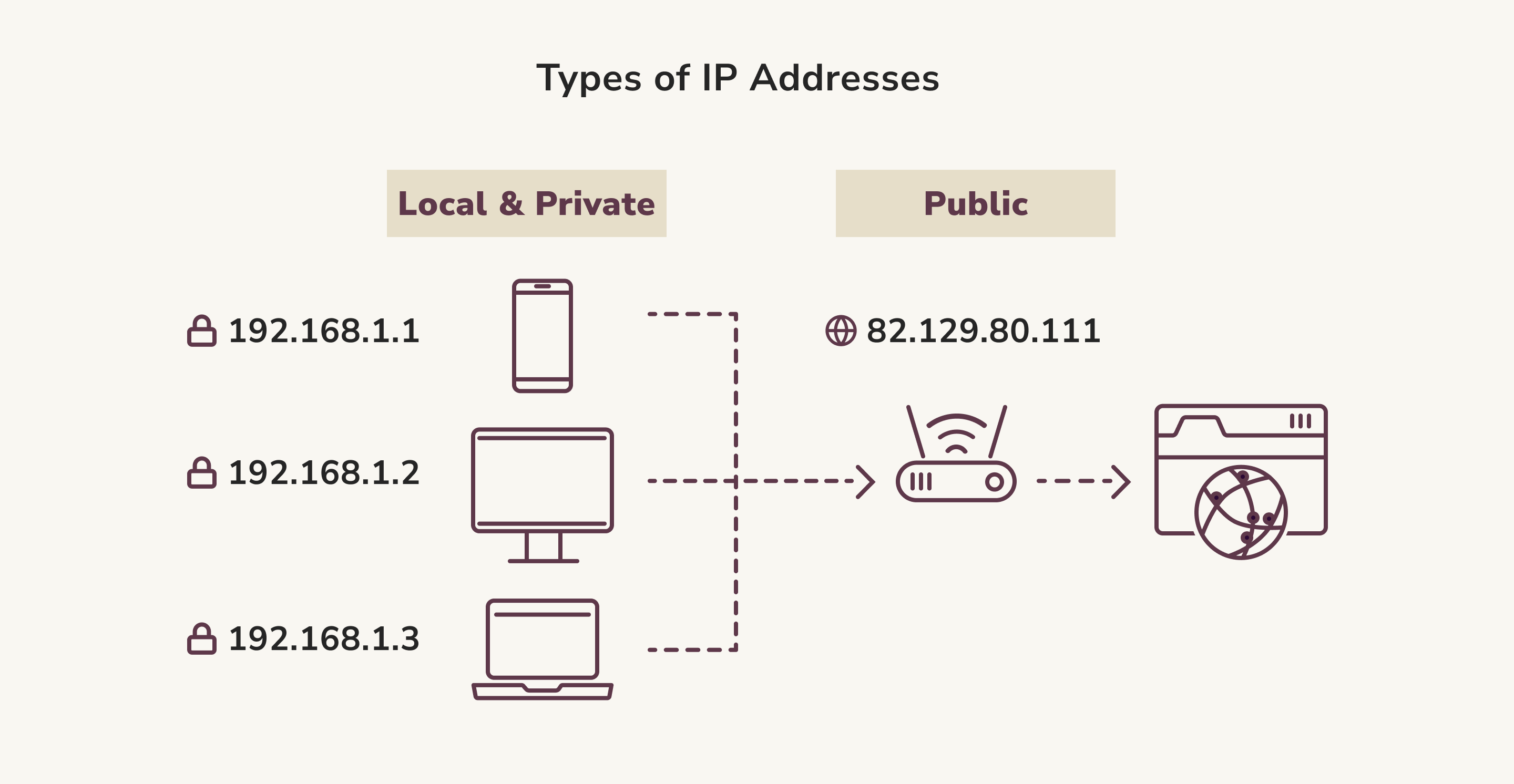
G.Network uses the IPAM (IP management) tool called NetBox. How do IP address management tools work? All the IP addresses are put into NetBox and assigned to clients. This database visualizes the company's network — where clients are located, whether they use home or business broadband, how many devices are connected, and which IP addresses are assigned to each client.
Everything starts small — with a single IP address that an engineer needs to put into the IP management system. It should be done properly, as different clients are assigned to various groups. For instance, G.Network has the rule to put fixed IP addresses into groups of eight. To do it right, a subnet mask indicates how many IP addresses are in this group. We know how to work with these masks and determine if the IP addresses there are fixed or dynamic.
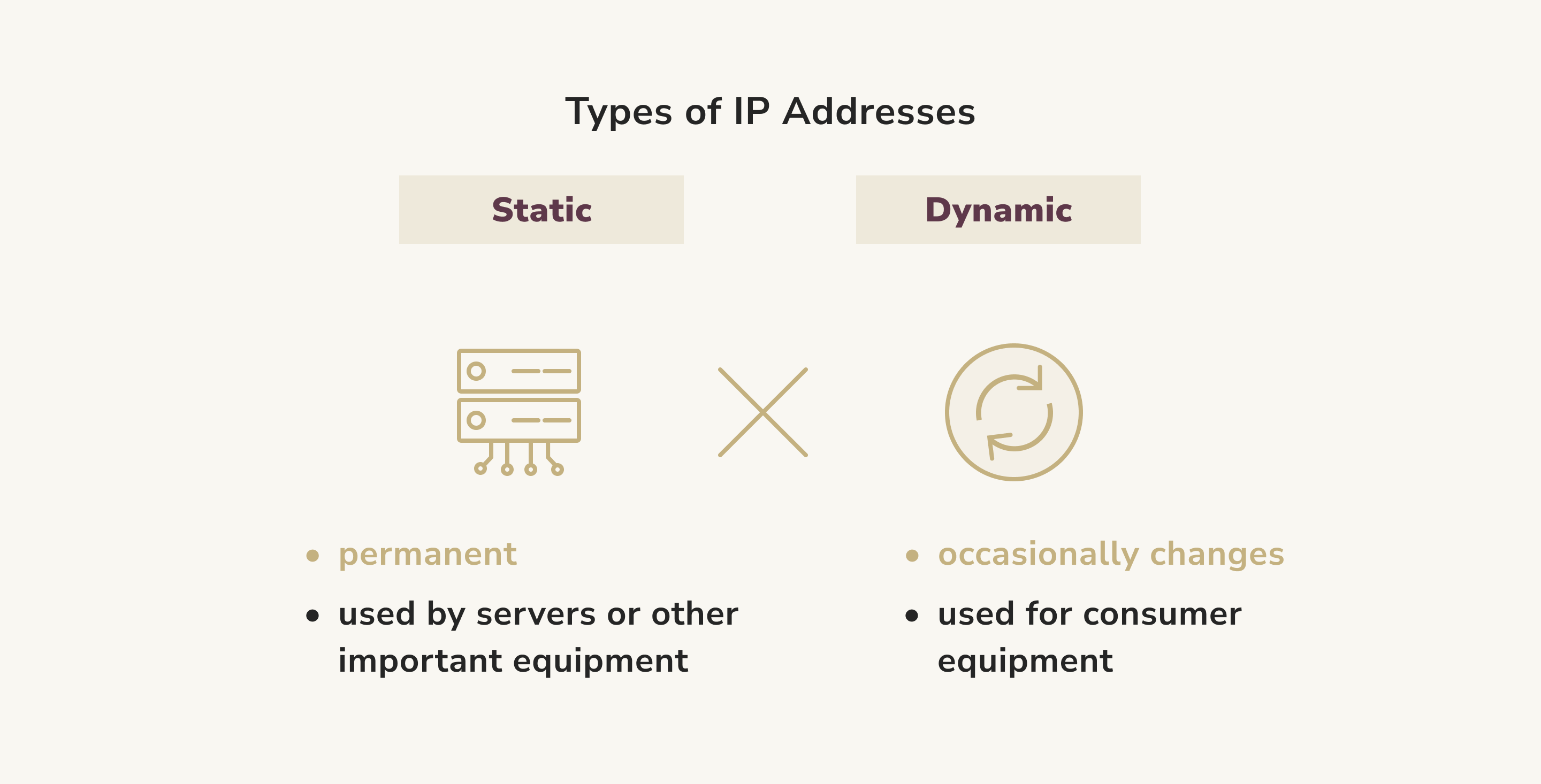
Now G.Network can properly group IP addresses (e.g., by street, device, etc.) using IP prefixes. We can work with prefixes of different capacities and for different purposes. G.Network can create static blocks of IP addresses for corporate use (i.e., they offer 10-20 addresses, and the client uses them as they wish).
Another problem G.Network faced was that when a client was disconnected from the network, their former IP address could still be marked as in use even though it was no longer active. As I've mentioned previously, each IP address incurs a cost, so “losing” them in the system and not actually using them results in financial losses. We managed to fix this issue, and IP addresses are now correctly marked in the all-in-one IP management software. It is done automatically, so it excludes the possibility of human error here as well.
Improving the Configuration Process
After we perfected the IP address management, we could begin the next stage — improving on the configuration process.
An optical line termination (OLT) is a device connected to the main fiber. It usually serves two purposes:
- converting the standard signals of the PON (Passive Optical Network) system;
- coordinating multiplexing among conversion devices on optical network terminals (ONTs) located at customer premises.
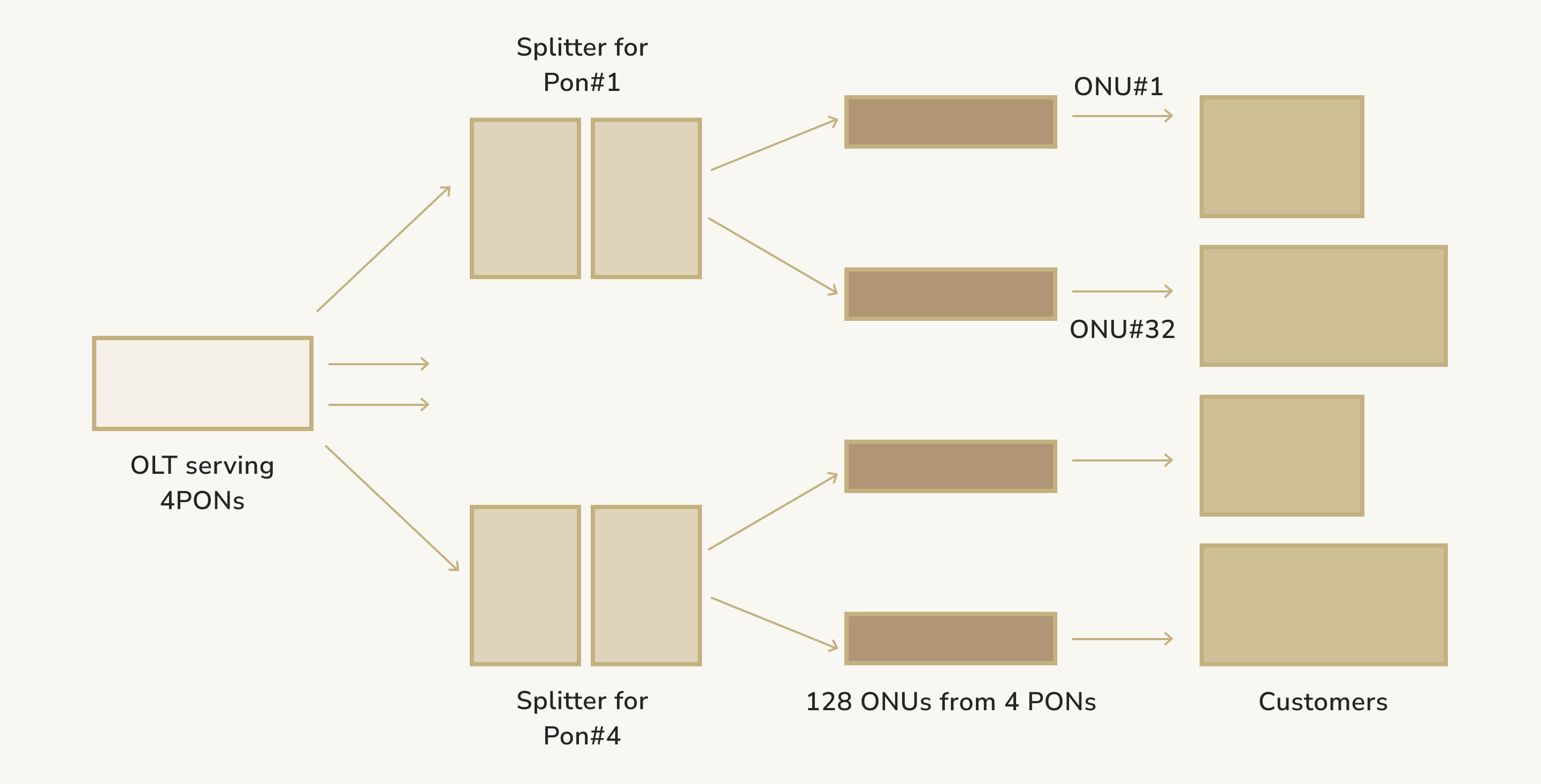
To give you a little bit of context, we will answer ‘What is passive optical network?’. It is a fiber-optic technology used in telecommunications; it delivers broadband network access to end users. The value of the passive optical network lies in its architecture and standards, which enable high-speed data transmission over long distances.
One of our tasks was configuring optical line termination devices to save time and effort for G.Network engineers and minimize errors. By configuring the OLTs that work with the Passive Optical Network, we are also simplifying work with optical network terminals.
Before we began automating for G.Network, the company's engineers had to do many things manually—they had to visit the client's premises, locate the ONTs' serial numbers, and manually add commands so the optical line termination (OLT) would recognize the optical network terminals and the configuration would be possible. Considering that these commands have complex syntax, involve various parameters, and vary from client to client, there were quite a few errors.
So what are we doing exactly? Now, G.Network engineers can perform many tasks through the application. After getting the information about the new order, the G.Network engineer puts the order number into the app and gets all the necessary information about the customer — whether it is a private client or a business, which IP address should be reserved and then assigned to this client, which tariff the client chose, and which speed of the Internet connection should be delivered.
After that, an engineer retrieves the serial numbers of available ONT devices and selects the one belonging to this particular client. Then the "Generate" button appears, and after clicking it, an engineer sees the number of commands to copy and paste into the terminal. After these actions, the commands are performed, and the device is configured, meaning the new client is connected to the network. Moreover, we automated the upgrade process (when the client changes the tariff and the corresponding changes must be made) and the disconnect process (if the client wants to stop using G.Network's services). This part of our work has already improved processes within the G.Network and made human error almost impossible.
Operational Impact and Results
Prior to implementing our automation solution, connecting a single client required over two hours of manual effort. Following the deployment, this provisioning time was drastically reduced to a maximum of five minutes per connection.
Operating within a robust network supporting approximately 30,000 active users, the automation also drove significant improvements in accuracy. By adjusting and standardizing data models across related systems during the development phase, the error rate was substantially reduced, achieving a successful connection rate of 95% (19 out of 20 connections). This sustained operational excellence is underpinned by a strong, six-year partnership, highlighting a proven track record of reliability and continuous technical innovation.
However, this is not the end! Our next step is to fully automate the configuration process. Instead of getting a bunch of commands and putting them into the terminal, an engineer will get an “Activate” button. Clicking this button will perform all the necessary actions to connect a new G.Network client to the network. If there is an error or changes are required, the relevant information will be displayed in the app, allowing the engineer to make corrections.
Selecting the Right Technology Stack for Network Automation
Here is a highly effective framework we used to optimize the client's provisioning pipeline:
- NetBox: Serves as the ultimate infrastructure modeling tool and IP address management (IPAM) database. It acts as a source of truth, ensuring that automation scripts always pull accurate, real-time data before pushing configurations to the network.
- Node.js: Provides the scalable backend necessary for API middleware. Because Node.js is asynchronous, it efficiently handles thousands of simultaneous provisioning requests from customer relationship management (CRM) systems without creating a processing bottleneck.
- Nokia AMS: Optimizes the management of broadband access networks. Integrating the Nokia Access Management System (AMS) into an automated pipeline allows you to seamlessly configure and monitor optical line terminals (OLTs) and customer optical network terminals (ONTs).
Cisco IOS: Forms the reliable core and edge routing foundation of the network. By using tools like Ansible alongside Node.js middleware, you can programmatically deploy standardized Cisco IOS configurations across the entire routing topology.
Working with Hardware
Cooperation with G.Network also gave us extensive experience in working with network hardware. Although this was a separate task, we could not proceed with it until we improved the IP address management.
At the beginning of our work, G.Network used Huawei telecom equipment. To be honest, it was pretty challenging as Huawei devices had no software, and we worked directly with the hardware via SSH session.
From the beginning of 2021, G.Network switched to Nokia equipment. Luckily, these devices come with the AMS software (which, simply put, is an XML-based API to interact with Nokia devices). However, we still decided to work directly with Nokia equipment at the beginning to understand how it works, how to send and execute commands, etc. We still do that now for testing purposes.
After that, we started to use the AMS software Nokia provided. Nokia support helped us a lot initially, giving us training and explaining all the necessary details. This software handles errors correctly, has the rollback option if something goes wrong, and significantly simplifies all the work we performed for G.Network.
We also have experience working with Cisco devices. G.Network currently uses the Cisco IOS DHCP server to configure fixed IP addresses. It has its own interface, and we learned how to work with it.
We are currently also researching PRE-AGG devices and learning how to work with them. Now we use them when we need to generate an entirely new static block of IP addresses.
So far, we can work with network equipment both directly and via software. And I am sure we can work with equipment from any manufacturer, as they are generally quite similar.
All in all, our team truly enjoys working with G.Network (to find out more — read the G.Network case study on our website). It was a completely new experience, and I can say we are ready for any future challenges. Our solution is a great tool that will simplify work for engineers and customer support managers at any telecommunications company (especially in the United Kingdom). We have certain expertise in telecommunications software development and are ready to tackle any issues with network equipment.
Our experience with improving IP address management and IPAM software is also quite important. It does not depend on the device manufacturer; devices can have different interfaces, but the logic is the same. We really dug deep into how NetBox works, and now we understand the connections within the system, how it operates, and how to group and manage IP addresses. Considering how crucial it is to have the best IP management software for each company that uses it, this experience will be incredibly valuable if we ever work with Internet providers again.
As mentioned before, we have another interesting project developed for G.Network — the Customer Lifecycle Management Solution, which simplifies the day-to-day operations of an internet service provider.
Scaling your ISP network beyond manual operations? Let's discuss what automation would look like for your infrastructure—from IP management to zero-touch provisioning.